Showing posts with label Mash. Show all posts

Sunday, 24 September 2017

Notes - Nodes & Mash – Maya

Here are some learning notes on creating a  plug-in for Maya, creating relationships with expressions and Maya's new python node. These are notes for me but perhaps others may stumble upon them and find them to be of interest. I'll probably change and grow this page as I learn a little more.
  1. Notes and links on how to create a Maya plug-in
Autodesk have an example Python Math Node. Here are my notes:
  • API module: import maya.openMaya
  • Proxy class access: import maya.openMayaMPx
  • Access to math module: import math
  • Variable for node name:  kPluginNodeTypeName = "nodeNameNode"
  • ID number for Node:        nodeNameNodeId = OpenMaya.MTypeId(0x00001)
  • Define subclass of existing class: class nodeName(OpenMayaMPx.MPxNode)
  • input = OpenMaya.MObject()
  • output = OpenMaya.MObject()
  • Override constructor using base: OpenMayaMPx.MPxNode.__init__(self)
  • plug = current input: def compute(self,plug,dataBlock):
  • Compute math example: result = math.sin( inputFloat )
  • Recompute plug and flag as clean: dataBlock.setClean( plug )
  • Maya pointer: return OpenMayaMPx.asMPxPtr( sineNode() )
  • Initialize method - input and output: nodeInitializer():
  • Add attribute here (ex- frequency or or amplitude): input = nAttr.create( "input", "in", ####)
  • Causes compute method to re-calculate - sets relationship: sineNode.attributeAffects( sineNode.input, sineNode.output )
  • Plug-in registration - Node Name/ID/Create Method/Initialize Method/Node Type: mplugin.registerNode( kPluginNodeTypeName, sineNodeId, nodeCreator, nodeInitializer )
  • De-register plug-in: mplugin.deregisterNode( sineNodeId)
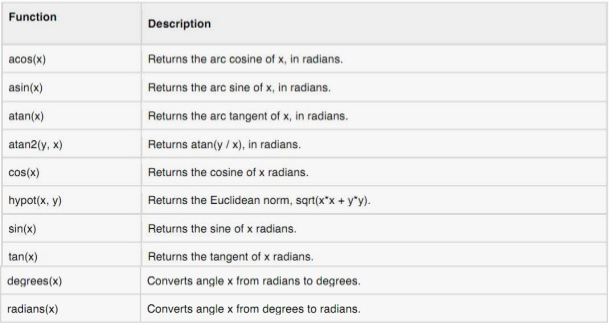
Understanding this we can now turn these python math functions into Maya nodes:
programming-with-python.jpg
2. Some links to various resources:
Classes:
  • Wrappers - math classes - m -(Quaternion, matrix, vector, points, vectors etc)
  • MObjects - data encapsulation (meshes, skin clustter nodes, curves  etc).
  • Functions Sets - mfn  - (access and manipulate data)
  • Proxy Class - mpx - - (abstractions - create new object types - inheritance)
For memory intensive process plug-ins need to be complied in c++. Here are some links:
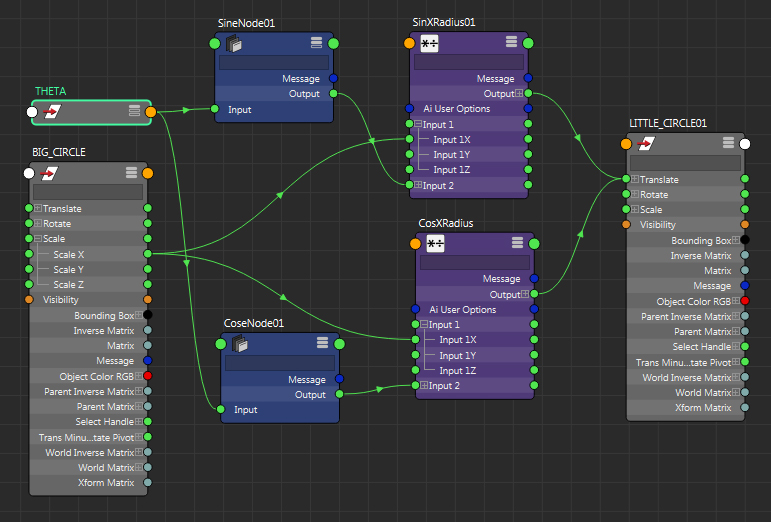
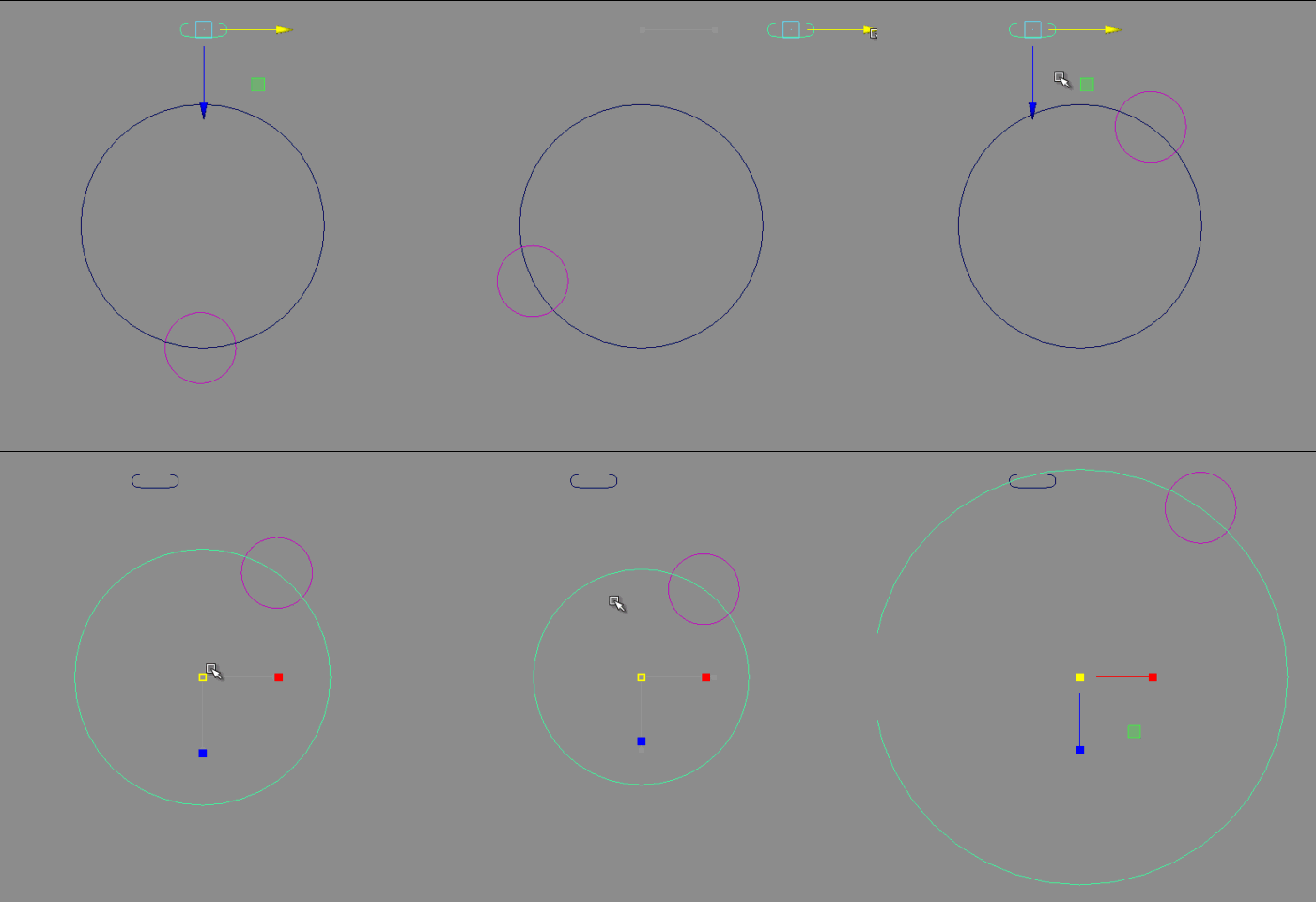
3. Example: Testing cosine node works.
radTimesSinCos01
radCosSonCirclesMayaNodes01
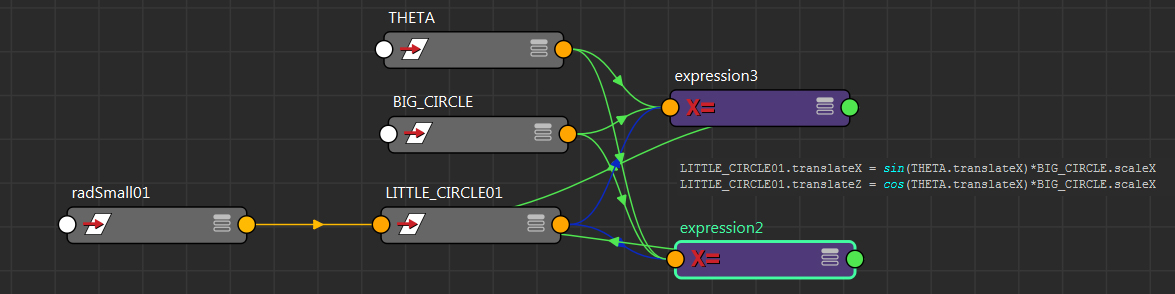
3. A Mel expression that does the exact same thing. A little bit less work :)
radTimesSinCos01_expression
Two very simple expressions that create tangent circles (also known as kissing circles).
melExpression-KissingCirclesNWJ
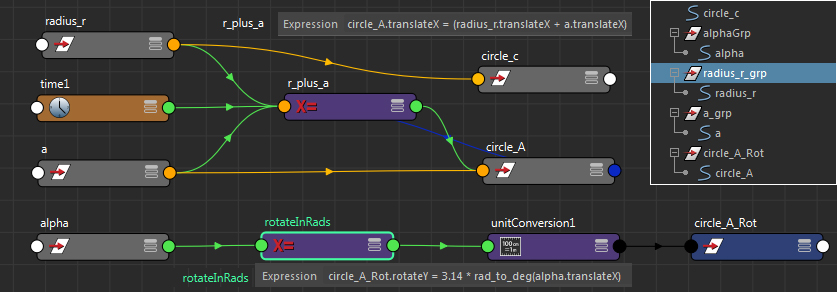
relationshipsWithExpressions
Nodes and expressions can build almost any kind of relationship we want.

4. Mash Python node (Maya)
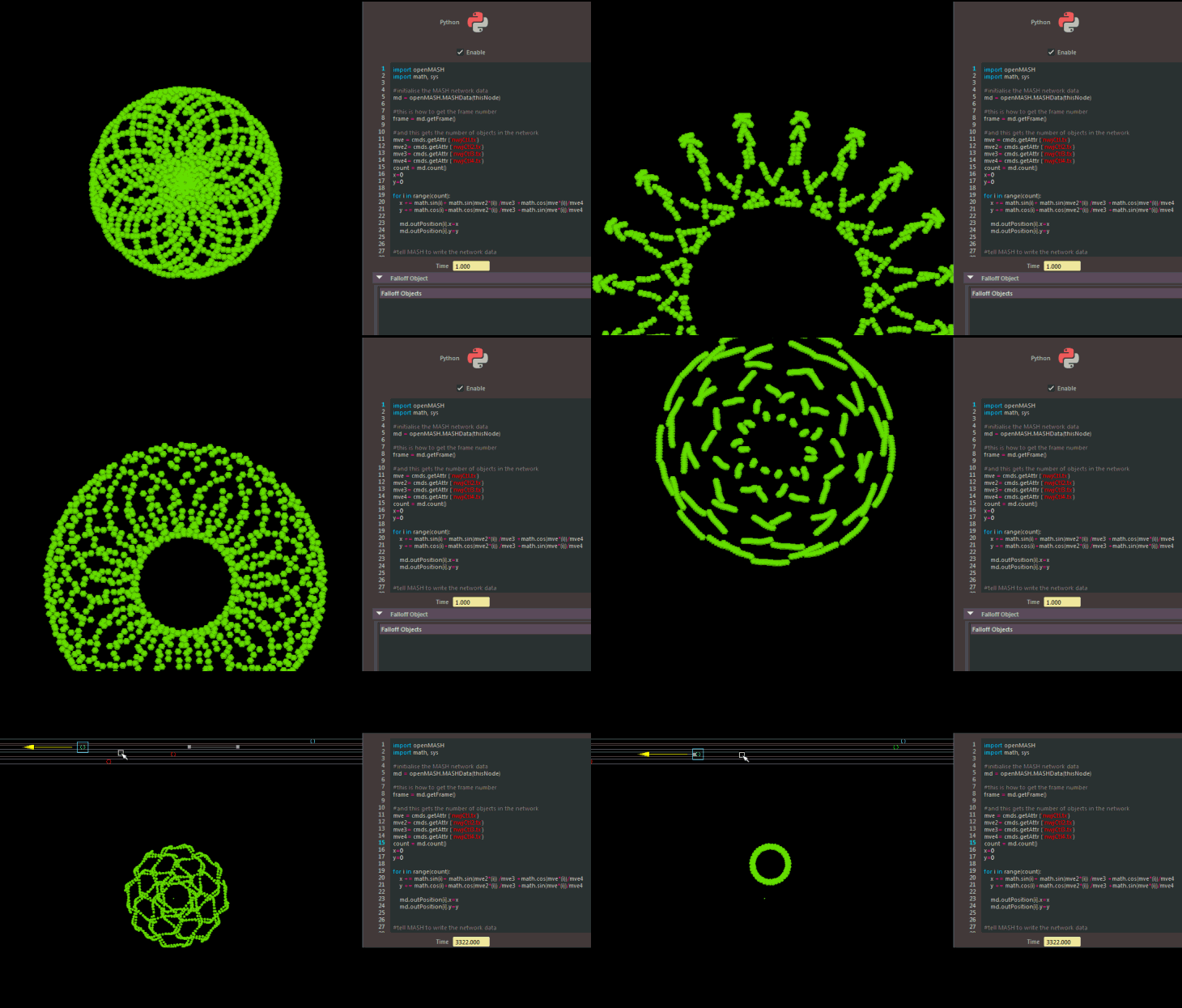
mashNodes01.jpg
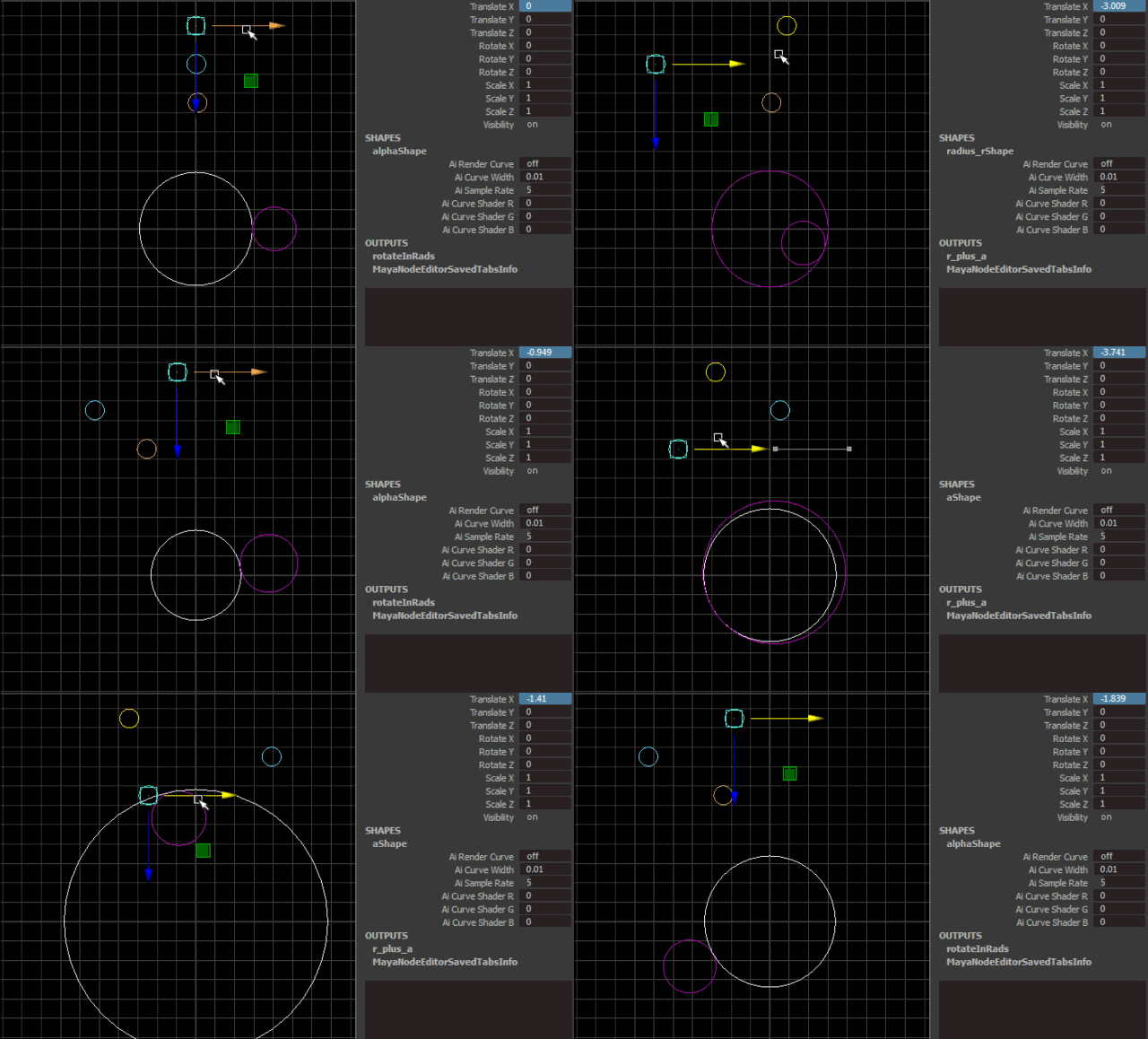
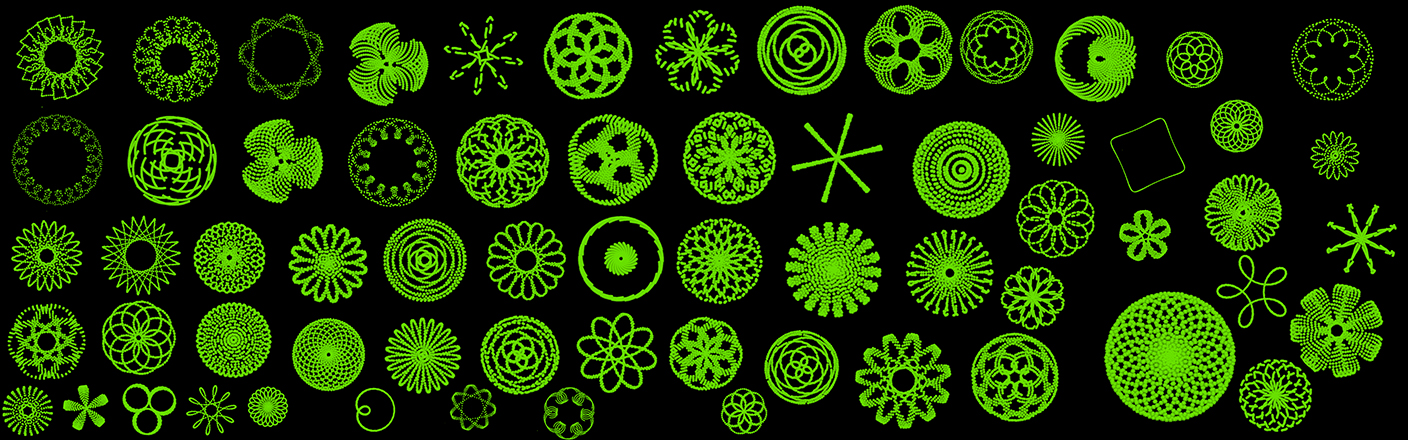
Python Node Test with controllers piped in as variables - Expression: (cos(t) + cos(6t)/2 + sin(14t)/3, sin(t) + sin(6t)/2 + cos(14t)/3) - (see article "Creating Art with Mathematics"). Perhaps usful patterns for stone placement or tiles of some sort.

paterns_maya_pythonNode_mash03


radCosSonCirclesMayaNodes04
paterns_maya_pythonNode_mash

Wednesday, 20 September 2017

Instancing test using Maya's Mash + Vray

This is a test for instancing grass with Mash in Maya. Very simple. Very quick. The settings are low and the render took next to no time. Perfect for previewing.


Oh how I am going to love using mash... and it has a python node!

I recently delved into writing some math nodes for Maya with python, (and compiling them in c++), with the idea of building something like what Rhino has with Grasshopper. It's turning into an excellent learning exercise. However, mash already has a lot of what I always wanted Maya to have. So... fun times ahead.

To test out some instancing using Maya's Mash:

1. Paint Effect for grass  - converted to polygon quads;
 
2. UV's organized 3X3. Vray 2 sided shader applied:
3. I thought I would throw in an old skull I poly modeled a long time ago. I decimated it in Zbrush, instead of using a displacement, and gave it a Vrays SSS shader. Here is a time-lapse of the Maya session:


4. In mash I instanced the grass over a plane and created a falloff object to mute the grass around the skull within a strength node. I also added a random node to the mix.

There is so much artistic control with this kind of procedural approach. Change, add, swap, blend, randomize, mute, duplicate etc.